
Introduction
This document will guide you through the In-store ordering process, including steps for viewing all orders and understanding their functionality.
Step 6.
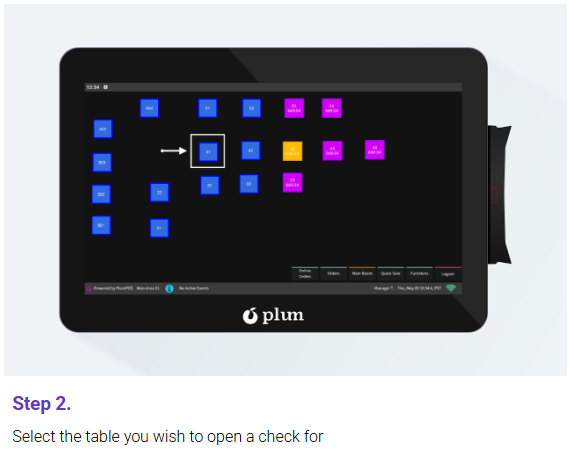
To add additional items to a check at a later point, simply select the table from the layout screen and it will open the check so you can add additional items.