

Overview
The Tracks module contains all songs and audio tracks available within the Plum Tunes application. In the current licensed version, users cannot add new songs through the user interface.
All songs are managed exclusively through the backend system and cannot be added or removed directly from the application UI. However, corporate users or store managers can mark songs as inactive at the global level, which disables them across all store locations.
The module also provides a song preview feature, allowing users to verify audio quality before enabling tracks for restaurant playback.
Plum Tunes maintains ASCAP and BMI licenses, enabling the legal playback of a broad range of copyrighted music. This ensures clients have the required public performance rights and can confidently select and play licensed tracks directly from the Plum Tunes library.
Track Information Details
On the Track Details screen, users can view the following information for each track:
- Title – Displays the name of the song or audio track.
- Genre – Shows the music category or style associated with the track.
- Duration – Displays the total playback length of the song.
- Artist Name – Shows the name of the artist or performer.
- Playlist Count – Indicates the number of playlists in which the track is currently used.
- File Size – Displays the size of the audio file stored in the system.
- Track ID – Displays the unique identifier assigned to the track.
- Is Active Flag – Indicates whether the track is currently active or inactive within the application.
This information helps users understand the general details and current status of the tracks available in the system, as shown in Figure 1.1.
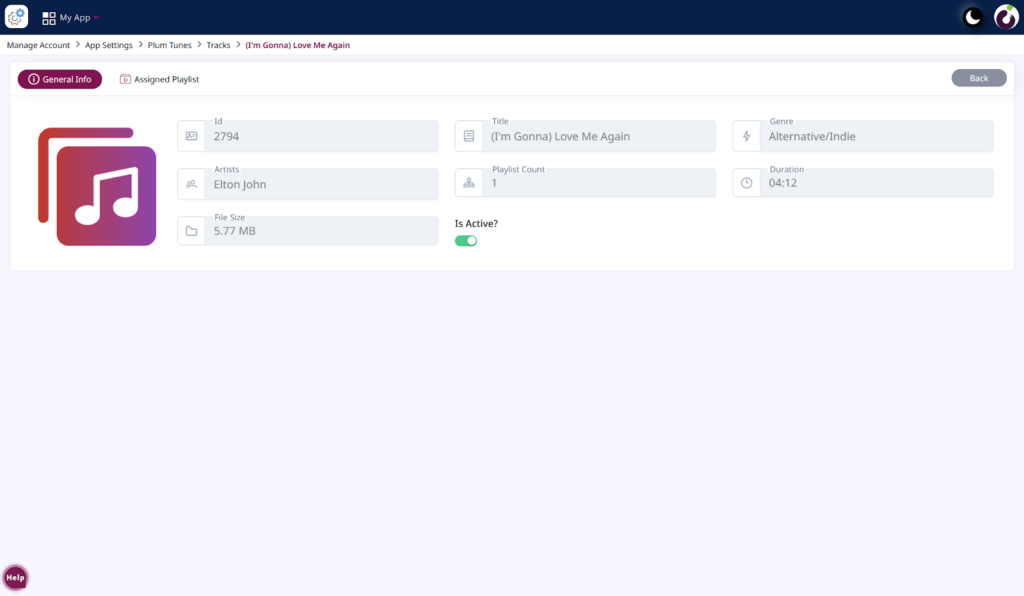
Figure 1.1: Detail Screen of the Tracks Module
Assigned Playlist
Users can view the playlist(s) assigned to a specific track by navigating to the Assigned Playlist tab, as shown in Figure 1.2.
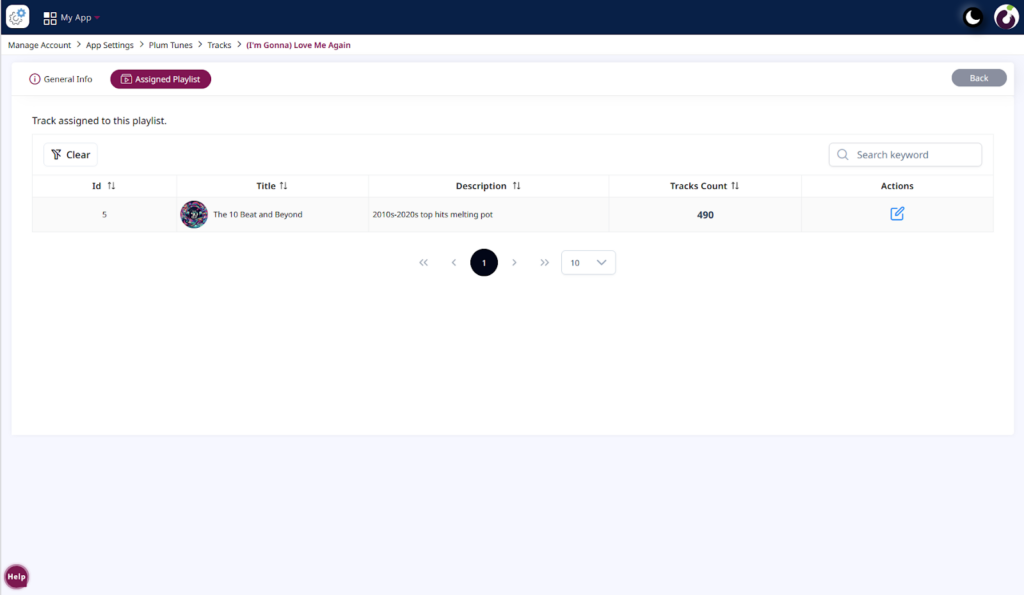
Figure 1.2: Detail screen of the Tracks Module> Assigned Playlist