

Activating a Tunes device is a simple and seamless process. To begin the setup, users will need:
- A Plum Media Player
- A Monitor or TV for initial activation
Once the Plum Media Player is connected to the monitor or TV, an Authentication Code (Auth Code) will be displayed on the screen, as shown in Figure 3.2.
The store manager can then use this Auth Code to activate the device within the Hubworks platform. After successful activation, the Plum Media Player can be connected to the store’s amplifier or audio system, allowing continuous playback of music and advertisements within the restaurant environment.
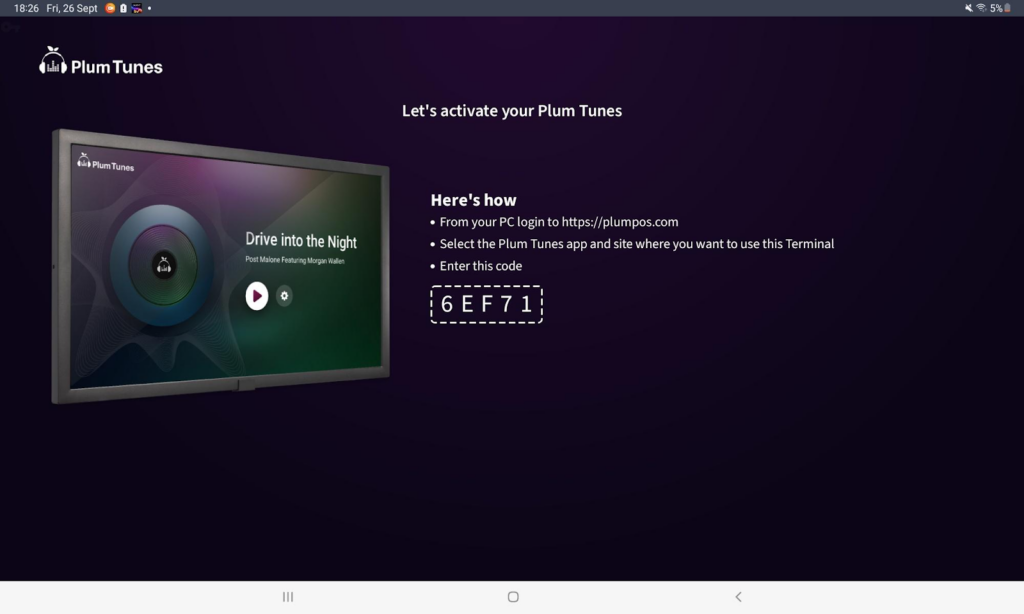
Figure 3.2: Auth Code Displayed on the Device
Steps to Activate the Device
Follow the steps below to activate a Plum Tunes device:
Step 1: Log in to Plum/Growth cloud portal.
Access the Plum/Growth platform using authorized credentials.
Step 2: Open the Plum Tunes Application
Navigate to the Plum Tunes application from the Hubworks dashboard.
Step 3: Select the Store
Choose the store where the Plum Tunes device needs to be activated.
Step 4: Navigate to the Device Module
Open the Device module within the selected store.
Step 5: Click on Add
Click the Add button to begin the device activation process.
Step 6: Enter the Auth Code
Enter the Authentication Code displayed on the connected monitor or TV screen.
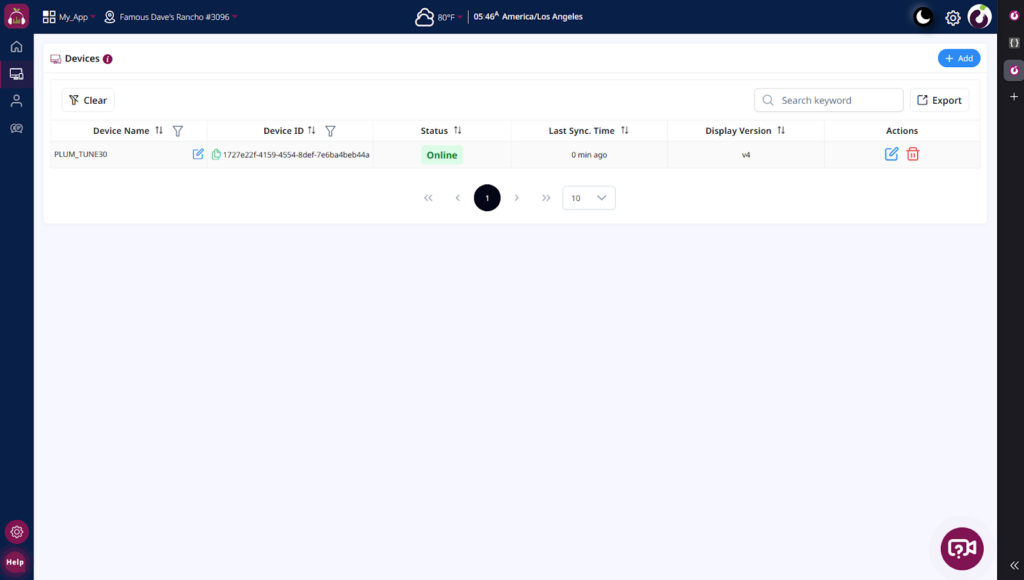
Figure 3.3: Click on the Add Button
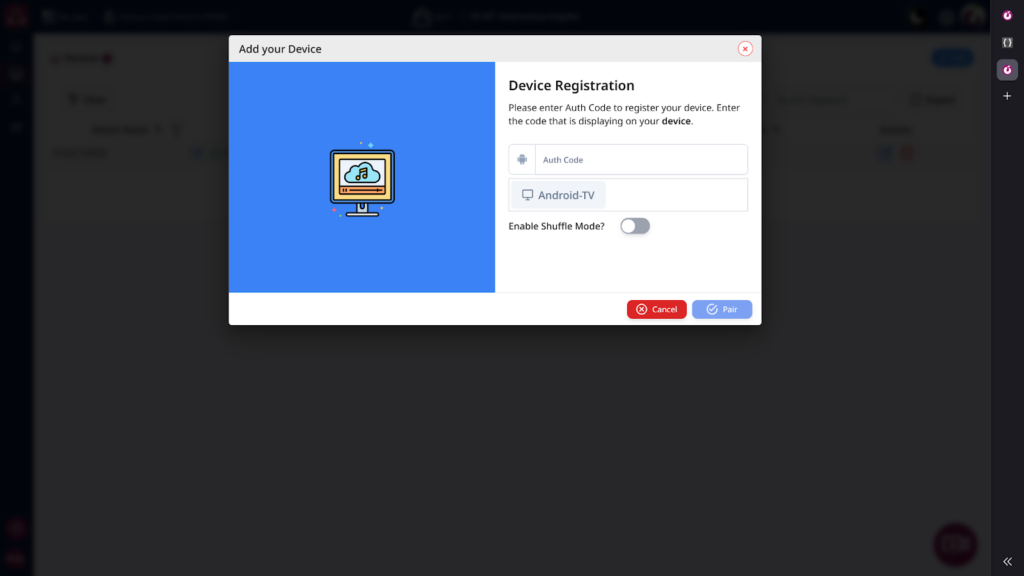
Figure 3.4: Popup Screen to Enter the Auth Code
Post Activation Process
Once the device is successfully connected:
- The store can connect the Plum Media Player directly to the restaurant amplifier or external audio system.
- Assigned playlists and advertisement groups will automatically begin playback.
- Songs and advertisements will continue playing based on the configured schedule.
Offline Playback Support
Note: The Plum Tunes application supports offline playback functionality once all configured songs and advertisements are fully synchronized to the device. This ensures uninterrupted music and advertisement playback even during temporary internet connectivity issues.