

Overview
The Store Settings section in the Plum Tunes application includes the Playlist module configured at the global level.
Unlike Global Settings, store-level access is provided in view-only mode, meaning users can view playlist details but cannot make any modifications or configuration changes from the store level.
Users can preview the assigned songs to verify audio quality; however, no actions such as editing, activating, deactivating, or assigning playlists can be performed within Store Settings.
Additionally, playlists marked as inactive at the global level will not be displayed in the Store Settings screen, as shown in Figure 2.6.
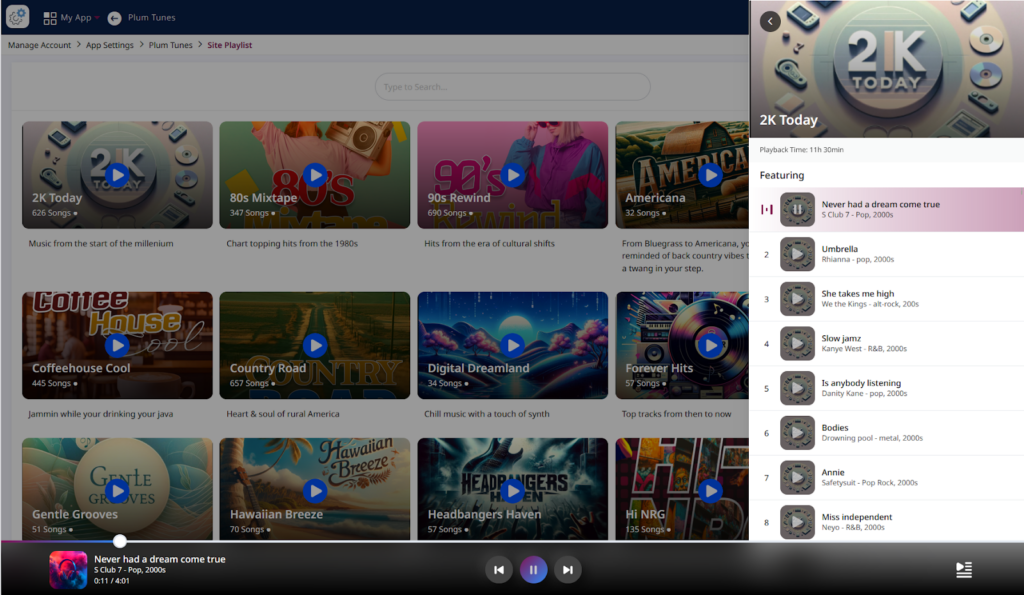
Figure 2.6: Detail screen of the Playlist [Store Settings]