

Overview
The Advertisement Media module contains all advertisement media files uploaded by users through the Plum Tunes application UI. Similar to Advertisement Groups, this module allows users to upload and manage promotional media for in-house offers, announcements, and services.
All uploaded media files are securely stored in Amazon S3 storage, with dedicated storage allocated for each user account. The maximum supported file size for media uploads is 25 MB.
To upload media into the application, users can click the Add button under the Advertisement Media module and select a media file from their local system, as illustrated in Figures 1.6, 1.7, and 1.8.
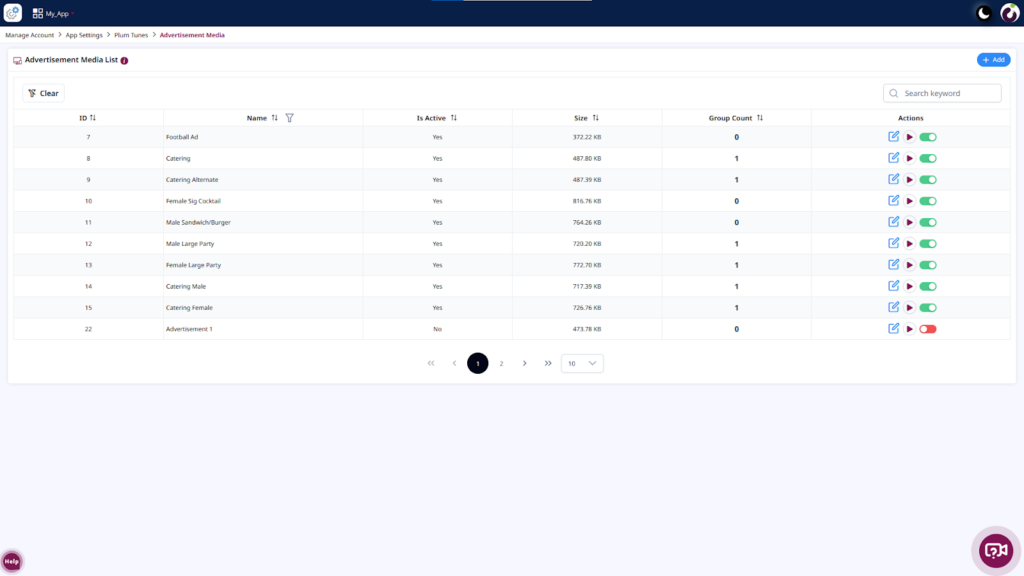
Figure 1.6: Click on the Add Button
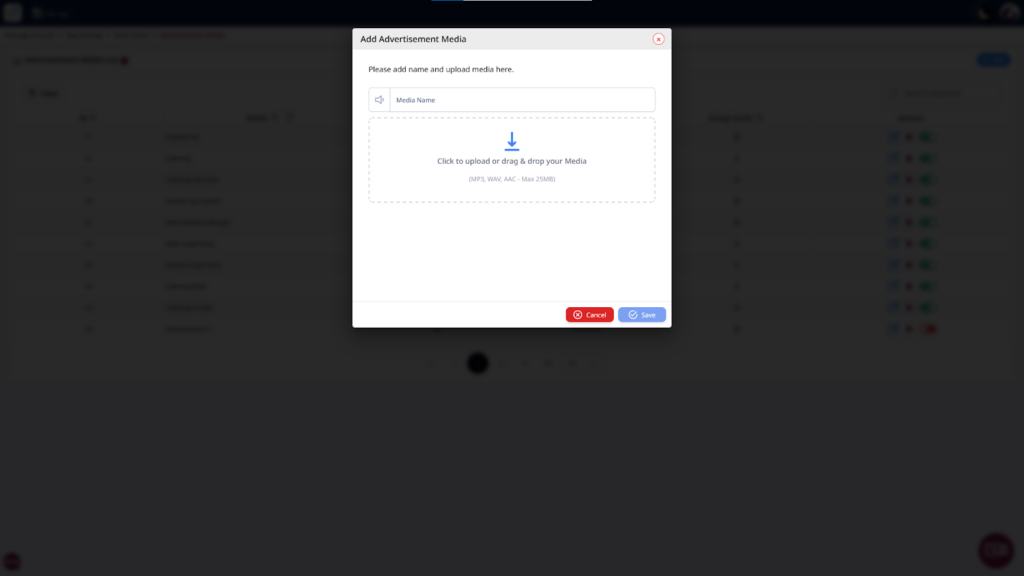
Figure 1.7: Media Upload Popup Screen
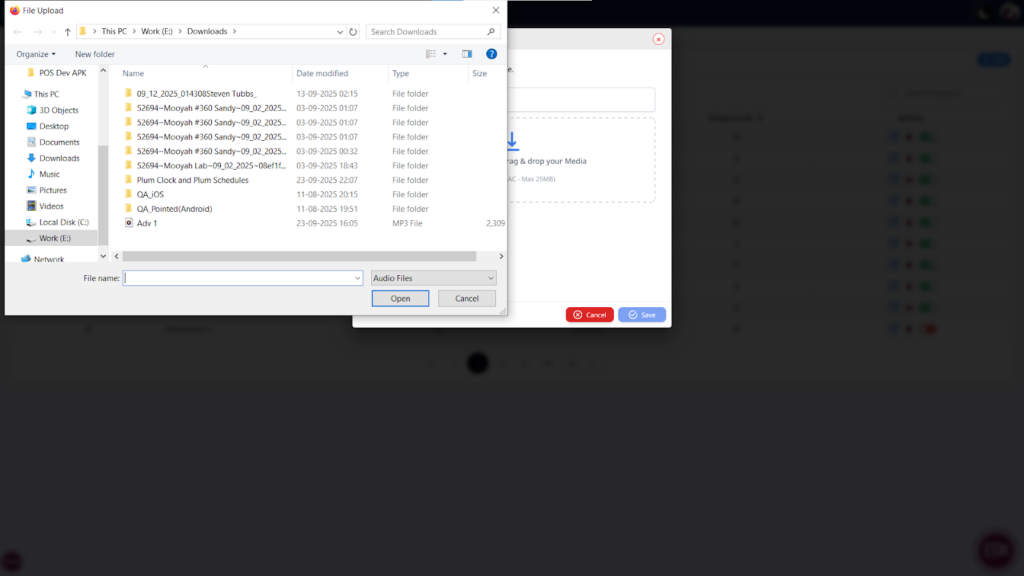
Figure 1.8: Upload Media from Local System
Advertisement Media Summary Screen
The summary screen displays the total number of media files associated with each advertisement group. Users can also preview media directly from this screen to verify audio or media quality before assigning it to restaurant devices.
Additionally, users can mark media files as active or inactive globally across all store locations.
Advertisement Media Details
On the Advertisement Media Details screen, users can view the following information:
- Title – Displays the name of the advertisement media file.
- Ad Count – Displays the number of advertisement groups using the media file.
- Is Active Flag – Indicates whether the media file is active or inactive within the application.
This information helps users understand the configuration and status of advertisement media, as shown in Figure 1.9.
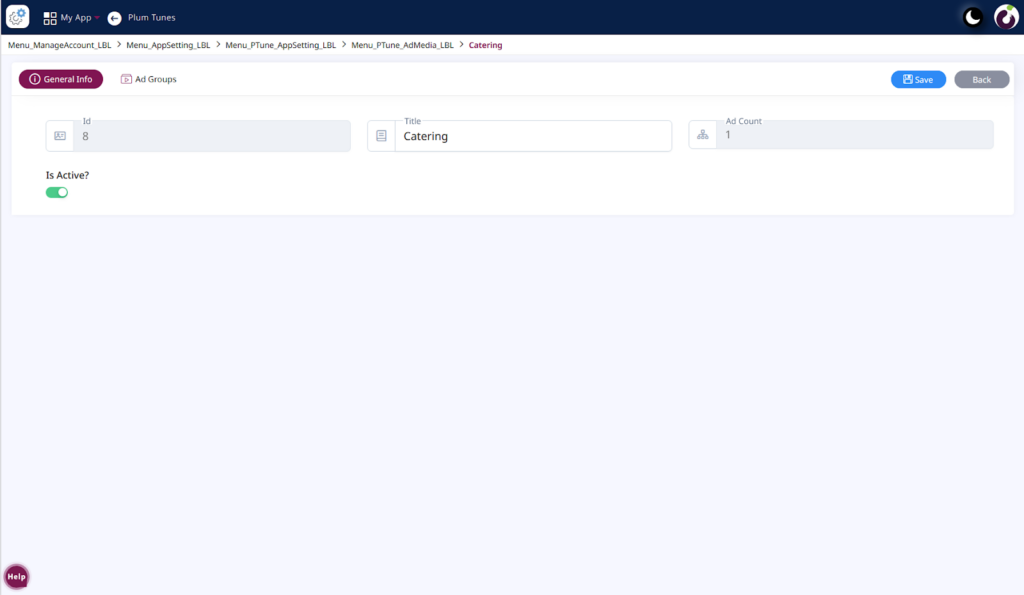
Figure 1.9: Detail Screen of the Advertisement Media Module
Ad Groups Tab
The Ad Groups tab displays all advertisement groups to which a specific media item is assigned. A media item can belong to one or multiple advertisement groups depending on the user configuration.
This screen also allows users to activate or deactivate assigned advertisement groups, as shown in Figure 2.0.
On this tab, users can view the following information:
- ID – Displays the unique identifier of the advertisement group.
- Name – Displays the advertisement group name.
- Is Active – Indicates whether the advertisement group is active or inactive.
- Media Count – Displays the total number of media files assigned to the advertisement group.
- Action – Provides options to activate or deactivate advertisement groups.
This information helps users manage advertisement group assignments and media configurations effectively.
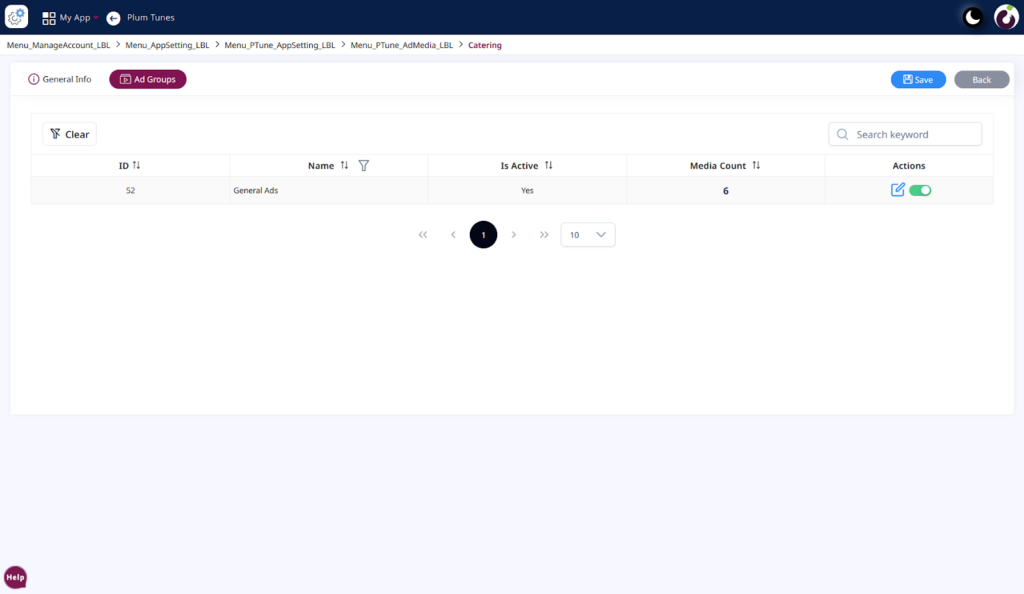
Figure 2.0: Detail screen of the advertisement Media>Ad Groups